


Cleaning out your hard drive
Before defragging your machine, it is a good idea to delete old files and programs that you no longer use. The question that usually comes up is " what do you delete?
The rule is: if you are unsure, leave it alone.
You will need to go into Windows Explorer and find files that are no longer needed. There are instructions below on how to do this.
Some files that are not needed that you may find are:
1. .tmp files
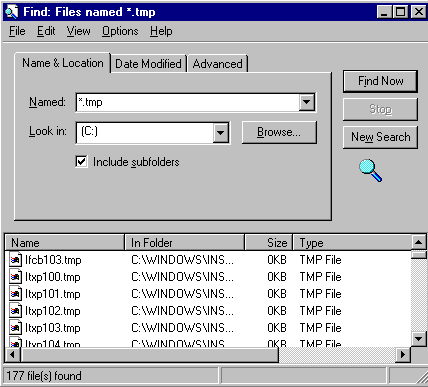
These are files that are only temporarily needed. You may find some of them in your c:\temp folder. You may do an F3 at the desktop and the Find dialog box will come up and you can type in *.tmp and it will find all the .tmp files to delete.
2. cache files
Look under options in Internet Exlporer and click on Advanced, then select Cache. Click on Clear Memory Cache and Clear Disk Cache.
3. Filecheck files
When a machine doesn't close down properly, some files get lost and the machine saves these files as file000.chk files and are numbered 0001,0002, etc. These can be deleted. You will find these in the C: directory.
Another way to find these is through the Find dialog box. Press F3 while you are on the desktop and type in *.chk by the box that says Find. It will find all of the filecheck files and you can delete them from here.
4. Data files
These tend to pile up in machines. If you have not opened a powerpoint file or a works or word file since 1996, then it would be a good idea to delete the old files.You now have an idea on what needs to be removed. What's next?
Step 1.
Identify the files you wish to remove. One way is to find them in explorer. Right click on My Computer and select Explore.
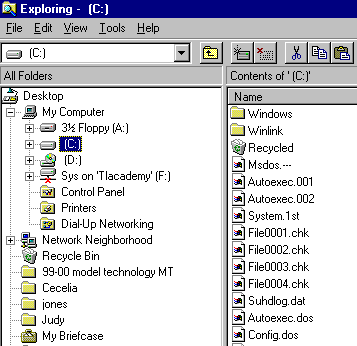
You can see 4 file.chk files on this computer. Highlight them and press the delete key. By holding down the control key you can choose as many files as you wish to highlight.
Step 2. Click on the + by the C: drive. Click on the + by the Windows directory, and select the TEMP directory.
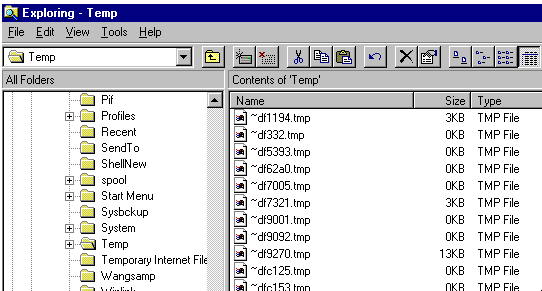
Delete all of the .tmp files by highlighting them and pressing the delete button.
Another way to delete your files is use the Find dialog box and when the file is found, right click on it and select delete.
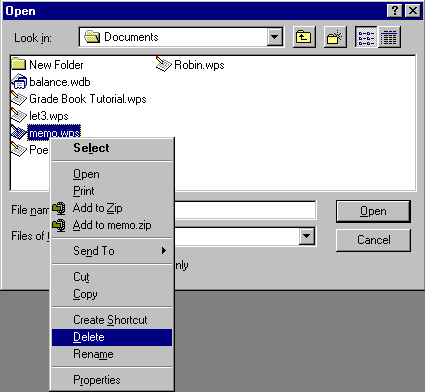
Step 3. Go to your Works/Word/Powerpoint program and select File/Open. You can choose which files you do not need anymore and delete them from this dialog box. If you wish to see the date that these files were made, go to View in the Menu Bar and click on Details. The date will appear beside the file. To delete a file, highlight it and press the delete key or right click it and choose delete.
Step 4. The last thing to do before you Defrag is Empty your Recycle Bin. Right click on the Recycle Bin and select Empty Recycle Bin.
Now you are ready to defrag your machine. Read tips about how to accomplish that task. Return to the Network Coordinator's Workroom
Search Internet4Classrooms

Internet4classrooms is a collaborative effort by
Susan Brooks and Bill Byles.





