Sort Data in Excel
Sorting helps you put information in a useful order. You can sort alphabetically, by number, or by date so it becomes easier to find patterns or locate specific entries.
Common uses for sorting
- alphabetize student names
- put due dates in order
- rank scores from highest to lowest
Keep rows together
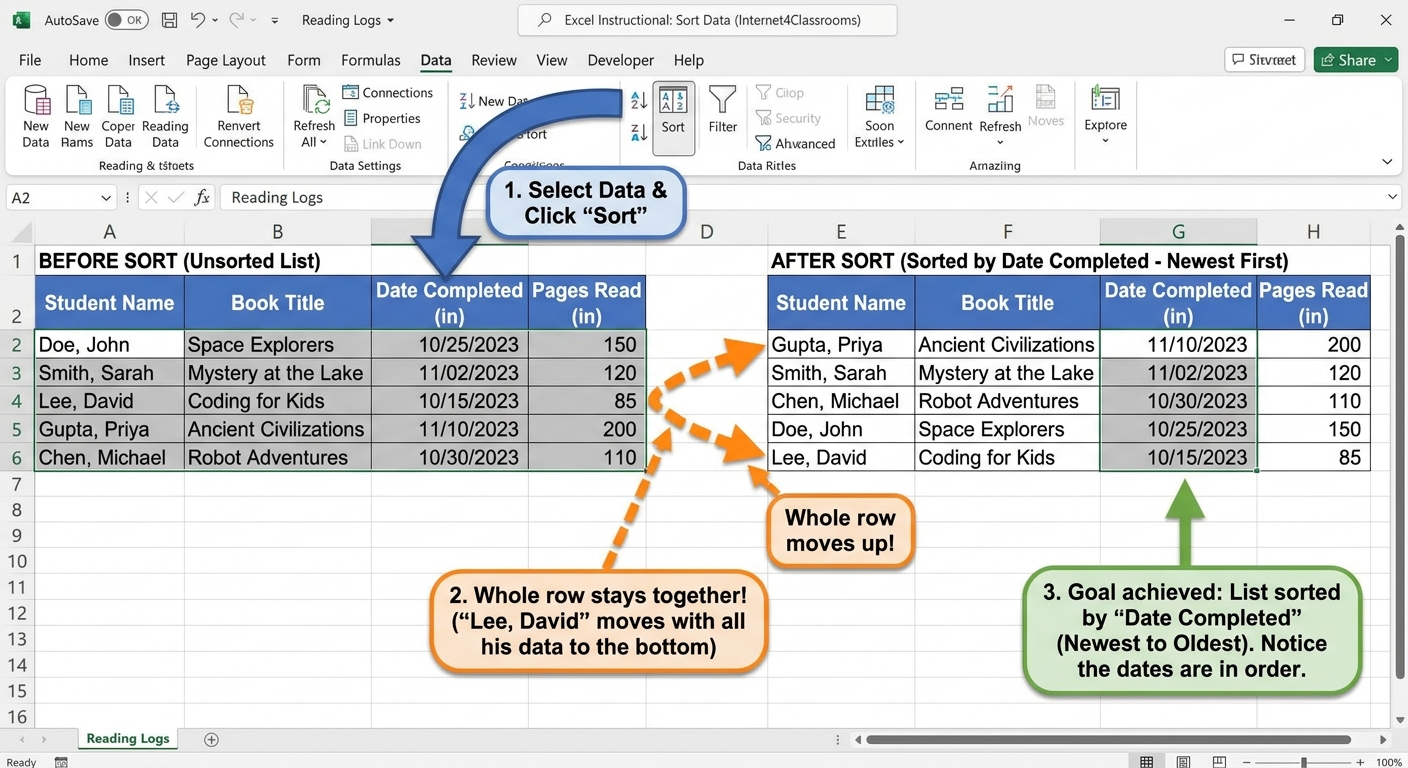
When you sort, Excel should move the entire row together. That way names, dates, and notes stay matched correctly.
Try it
In a reading log, sort by student name or by date finished. In a class list, sort by last name or score.
Next step: Continue to Filter Data.
Internet4classrooms is a collaborative effort by
Susan Brooks and Bill Byles.