Number, Date, and Currency Formats in Excel
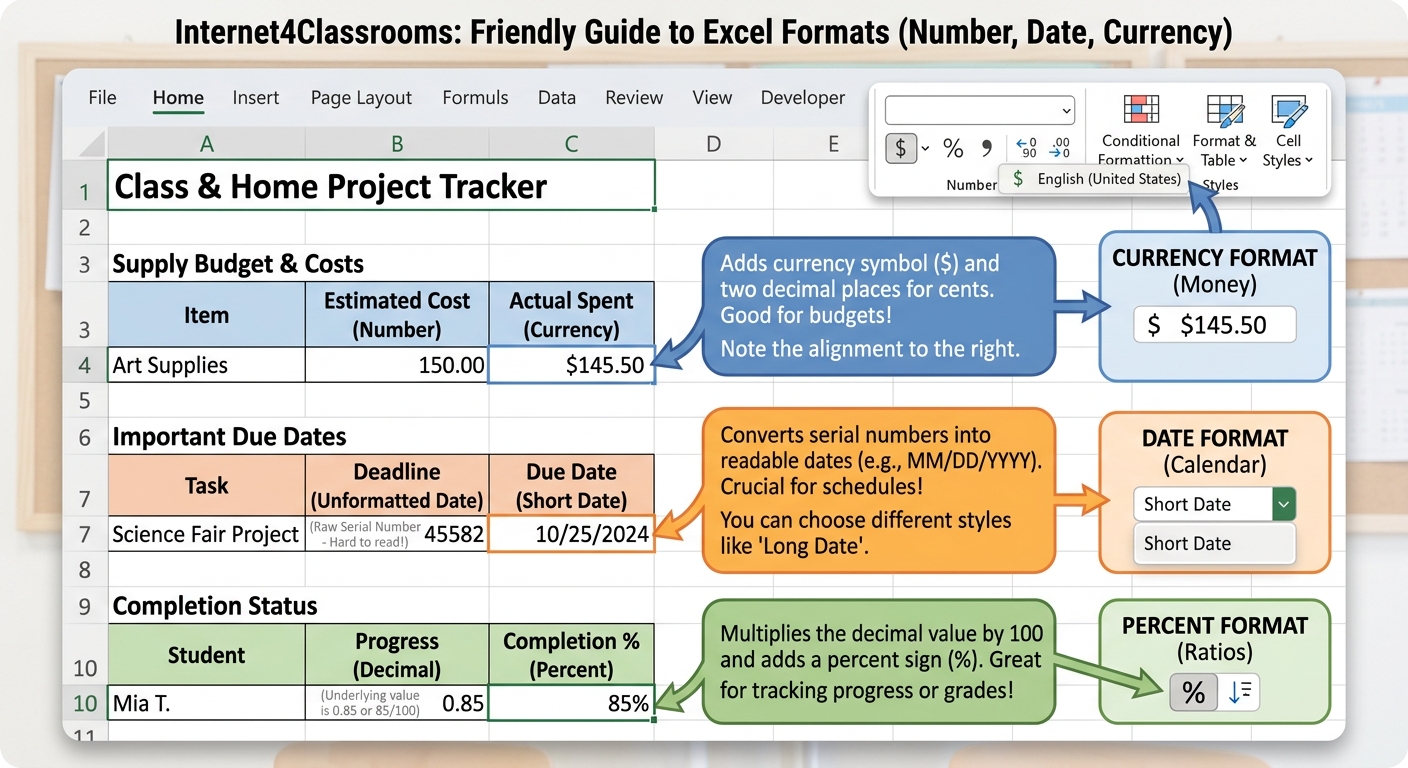
Formatting changes how values appear on the screen, but it does not change the actual value stored in the cell. That makes formatting one of the most useful tools for making a spreadsheet easier to understand.
Why formatting matters
A classroom budget looks clearer when money is shown as currency. Survey results may be easier to read as percentages. Dates should display in a consistent pattern so readers do not have to guess what they mean.
Common value formats
- Number for counts and measurements
- Date for schedules, logs, and deadlines
- Currency for budgets, costs, and totals
- Percent for survey results and completion rates
Try it
In a classroom supply budget, format prices as currency and dates as dates. In a survey summary, format completion rates as percentages. The values stay the same, but the sheet becomes much easier to read.
Common mistakes
- Typing symbols manually instead of applying a format
- Mixing date styles in the same sheet
- Forgetting that formatting changes appearance, not the stored value
Next step: Return to the Build and Format Spreadsheets hub or continue later with borders, styles, and print layout.
Internet4classrooms is a collaborative effort by
Susan Brooks and Bill Byles.