Excel Interface Basics
Links Verified: March 19, 2026
Excel interface basics help beginners understand what they see on the screen before they start entering data, writing formulas, or creating charts.
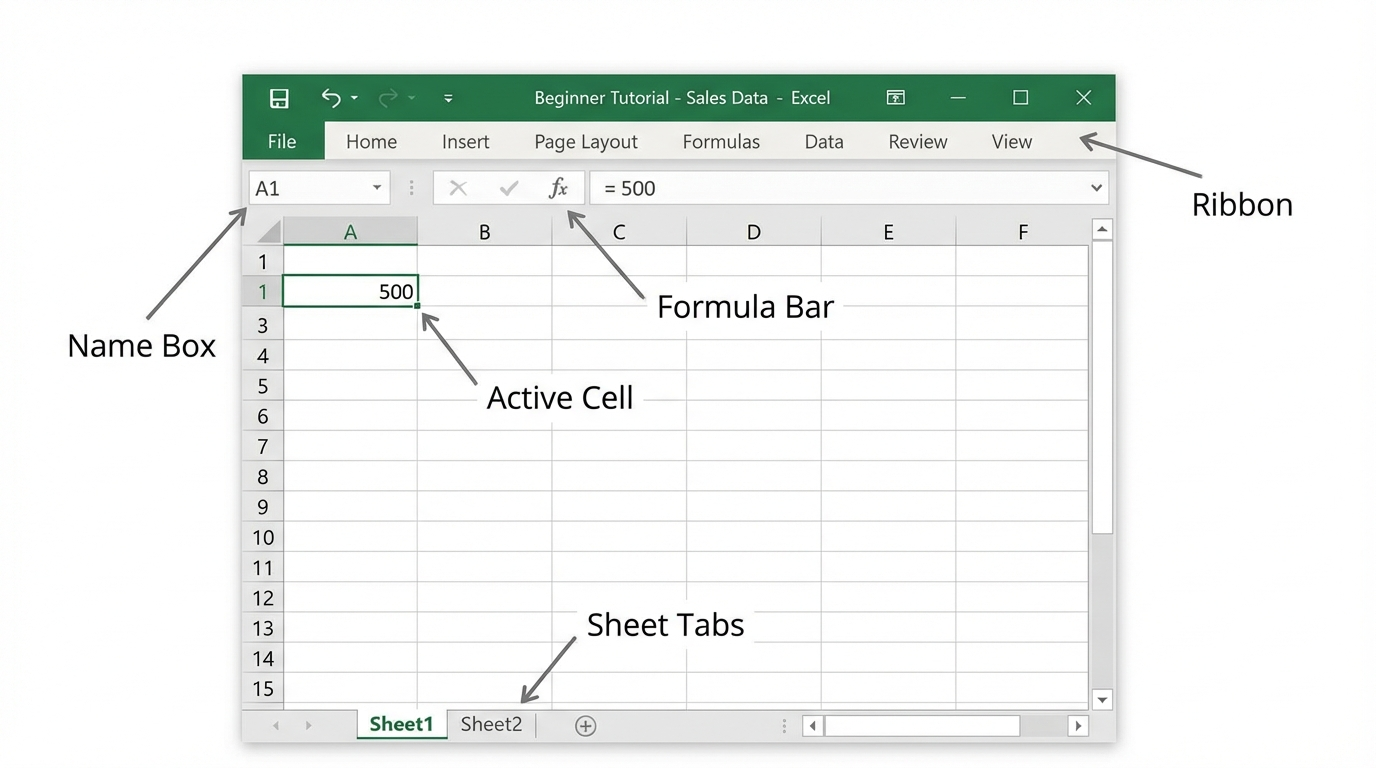
In this lesson you will learn the difference between a workbook and a worksheet, how rows, columns, and cells are organized, and where to find the Ribbon, formula bar, and sheet tabs.
Click image for a larger view.
Workbook and Worksheet
A workbook is the Excel file you open and save. A worksheet is one page inside that workbook.
Rows, Columns, and Cells
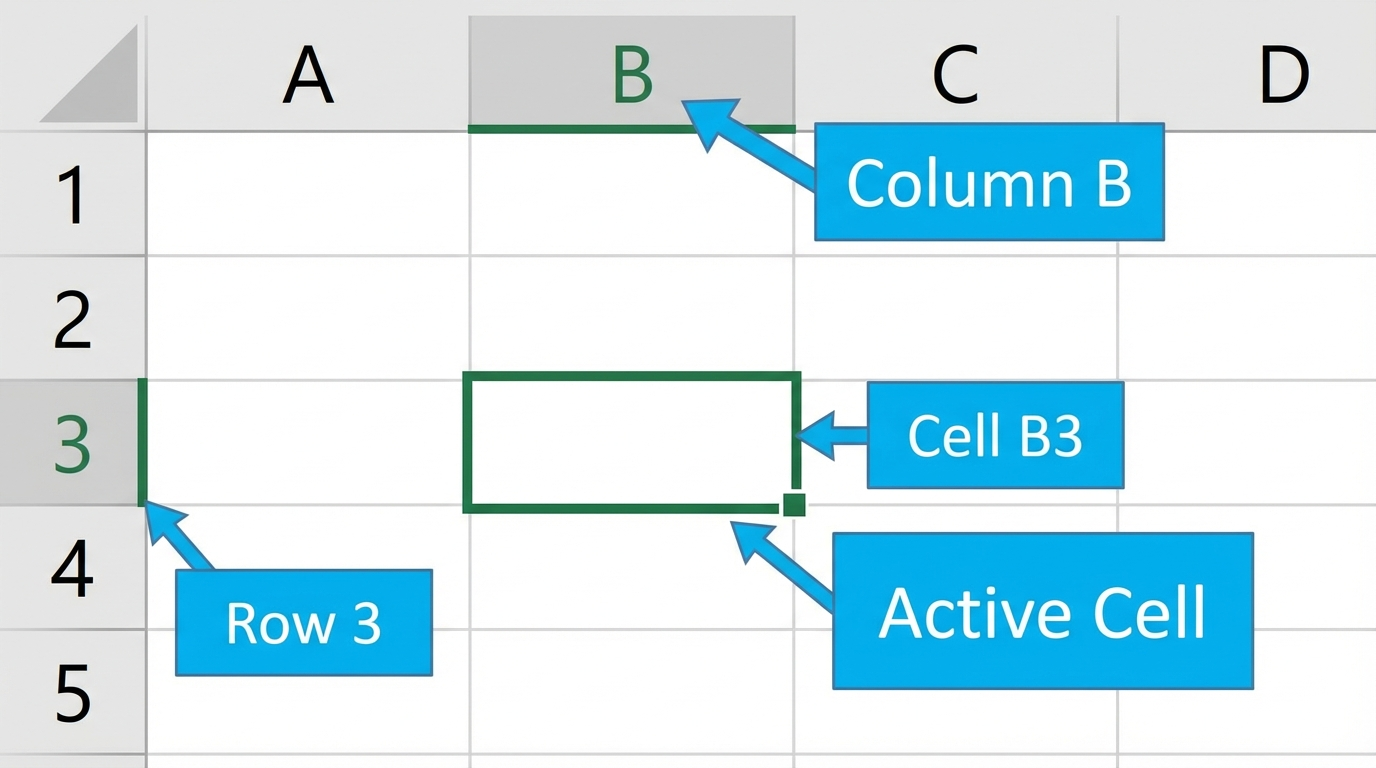
Rows run across the worksheet and columns run up and down the worksheet. A cell is where a row and a column meet.
If you click cell B3, you are selecting column B and row 3. The selected cell is called the active cell.
Click image for a larger view.
Important Parts of the Excel Window
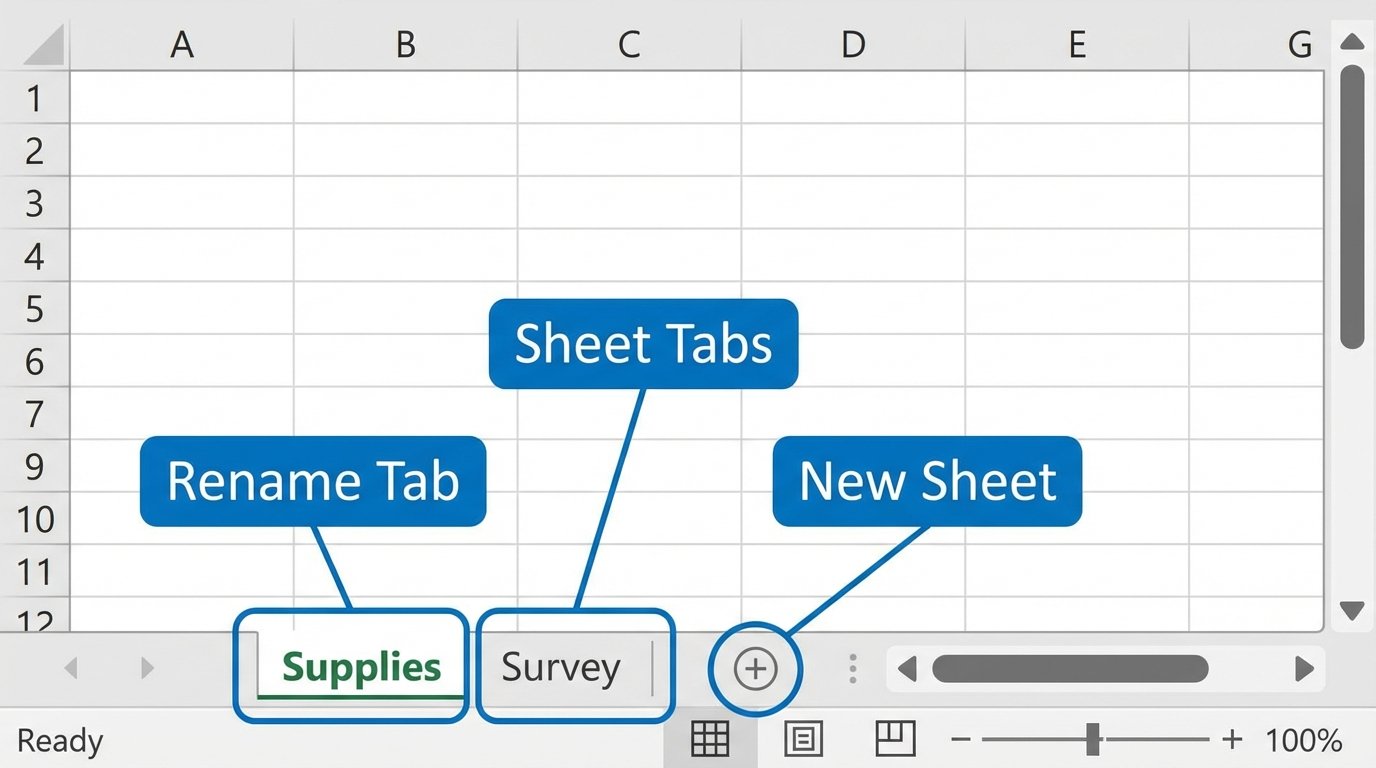
The Ribbon is the band of tools near the top of Excel. The formula bar shows the contents of the active cell. The sheet tabs near the bottom help you move from one worksheet to another.
Try These Basic Actions
- Open a new workbook.
- Click cell B3.
- Type the word Budget.
- Rename the first worksheet tab to Supplies.
- Add a second worksheet and rename it Survey.
Click image for a larger view.
Next step: Continue to Enter and Edit Data in Excel.
Internet4classrooms is a collaborative effort by
Susan Brooks and Bill Byles.