Formula Basics in Excel
Links Verified: March 19, 2026
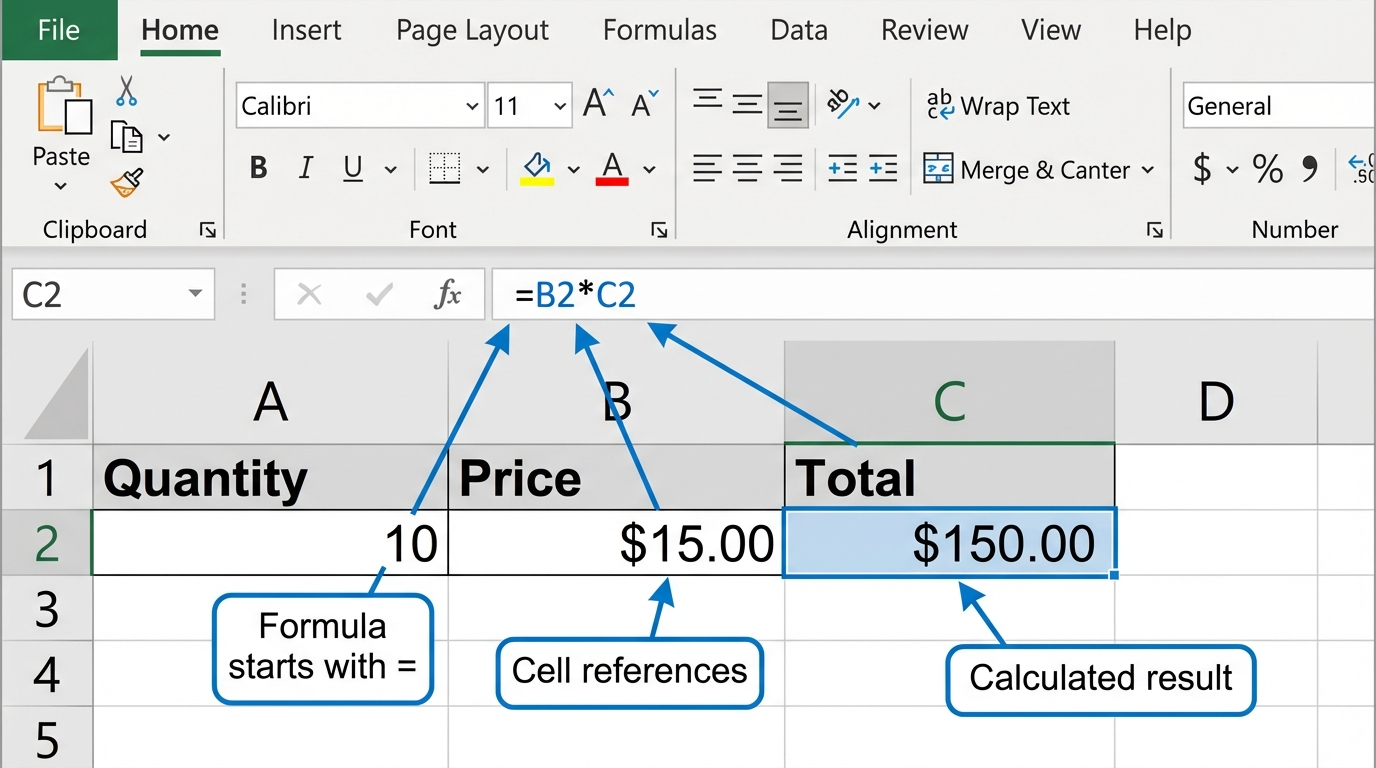
Formula basics in Excel teach beginners how to calculate answers automatically instead of typing every result by hand. A formula begins with an equals sign.
Click image for a larger view.
Basic Operators
Use + for addition, - for subtraction, * for multiplication, and / for division.
Use Cell References
Instead of typing numbers directly into every formula, click the cells you want Excel to use. This makes the worksheet easier to update later.
Try It
- Enter a quantity in one column.
- Enter a price in another column.
- Create a formula to multiply quantity by price.
- Copy the formula down.
Next step: Continue to Cell References in Excel: Relative and Absolute.
Internet4classrooms is a collaborative effort by
Susan Brooks and Bill Byles.