Cell References in Excel: Relative and Absolute
Links Verified: March 19, 2026
Cell references in Excel explain why formulas change when copied and how to keep an important value fixed when needed.
Click image for a larger view.
Relative References
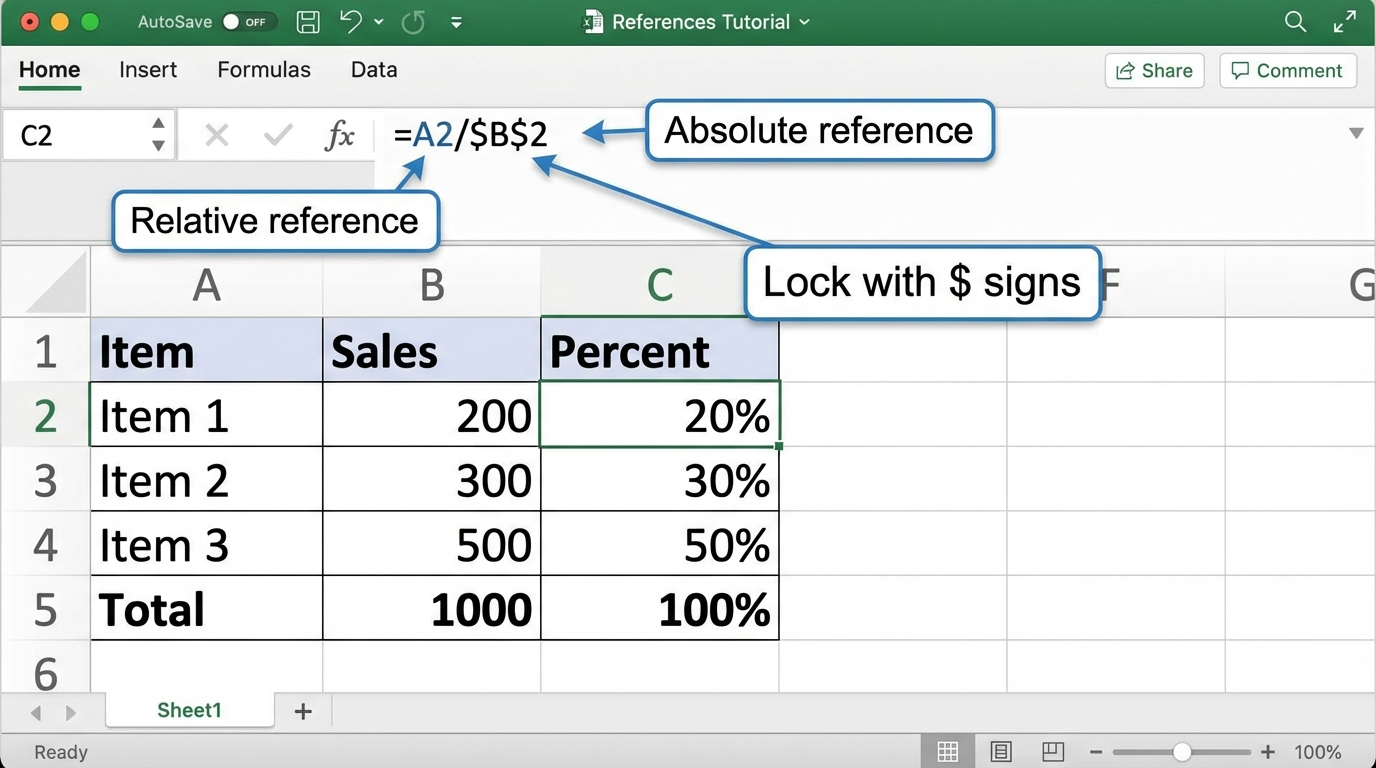
A relative reference changes when you copy a formula to another row or column.
Absolute References
An absolute reference stays fixed. In Excel, dollar signs lock the reference, like $B$2.
Try It
- Enter several amounts in one column.
- Enter a total in one cell.
- Create a percent formula using the total cell.
- Copy the formula down and compare the results.
Next step: Continue to Common Excel Functions for Beginners.
Internet4classrooms is a collaborative effort by
Susan Brooks and Bill Byles.