| Sign Up For Our Newsletter |

| Sign Up For Our Newsletter |

Using the Chart Tools Tab in Excel 2007
This tab only appears when a chart is selected. As soon as the chart is deselected, this tab disappears.
Tip: If you are unsure what the function of a feature is, let your cursor hover over the button (in Excel) to see a pop-up box explaining the feature.
If you want to collapse the ribbon so that none of the buttons are displayed, double-click the name of the tab.
Type 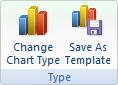
Change Chart Type - Change to a different type of chart. Save as Template - Save the formatting and layout of this chart as a template you can apply to future charts.
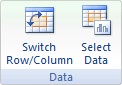
Switch Row/Column - Swap the data over the axis. Data being charted on the X axis will move to the Y axis and vice versa. Select Data - Change the data range included in the chart.
Chart Layouts 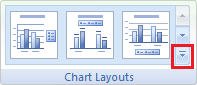
Chart Layouts - To see all layouts click on the down arrow at the bottom right of this section; the button is outlined in red in the image above. There are eleven layouts available and a small thumbnail of each is given showing where titles, legends and other information will be located.
Chart Styles 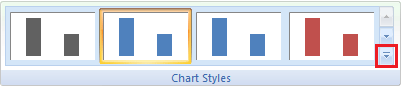
Protect Sheet - To see all styles click on the down arrow at the bottom right of this section; the button is outlined in red in the image above. There are six distinct styles and each is available in one of eight color schemes.
Quiz
Location 
Location - Move this chart to a new sheet or to imbed the chart as a smaller object in any other sheet of the workbook.

Internet4classrooms is a collaborative effort by
Susan Brooks and Bill Byles.


advertisement
advertisement
Use of this Web site constitutes acceptance of our Terms of Service and Privacy Policy.


