| Sign Up For Our Newsletter |

| Sign Up For Our Newsletter |
Exporting Inspiration to PowerPoint
Step 1 - Using the skills you learned from previous tutorials in this series, produce a concept map. I selected to produce a concept map about Internet4Classrooms.
Step 2 - Convert the concept map to diagram format.
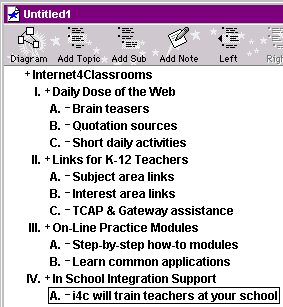
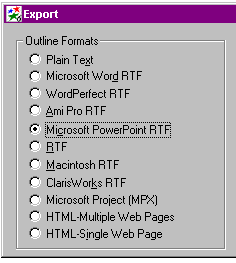
Step 3 - From the File menu select Export . Then choose Microsoft PowerPoint RTF .
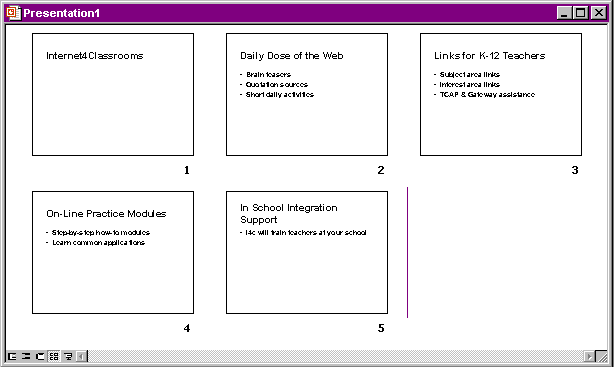
Step 4 - Launch PowerPoint and select Open an existing presentation . You will need to change Files of t ype to All Files because Inspiration exports the file as a Word document.

Step 5 - Use your PowerPoint skills to add color to the show. The text is already in place.
Thanks to Jason Parrish, technology coordinator at Crump Elementary School in Memphis TN, for sharing this feature of Inspiration.
Using RapidFire || Using a Template || Adding a Comment || Using Outline View || Modifying a Map


Internet4classrooms is a collaborative effort by
Susan Brooks and Bill Byles.


advertisement
advertisement
Use of this Web site constitutes acceptance of our Terms of Service and Privacy Policy.