| Sign Up For Our Newsletter |

| Sign Up For Our Newsletter |
Creating New Users in OS X
creating a new user | creating a limited user | creating a Spanish user
Let's create one more user. This one is a Spanish speaking student.
If you need a review how to get to the window below, go back to the first module in this set.
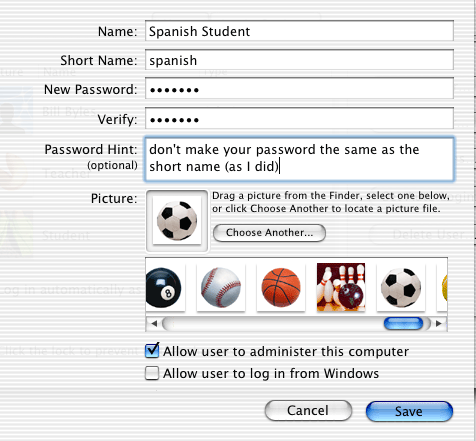
We are going to make some modifications that might require that the user be allowed to administer the computer. After making those changes, I recommend that you come back to this user and Edit the user, making similar changes that were made in the module regarding limited access users.
Go back to the System Preferences window and select International from the top row of preferences.
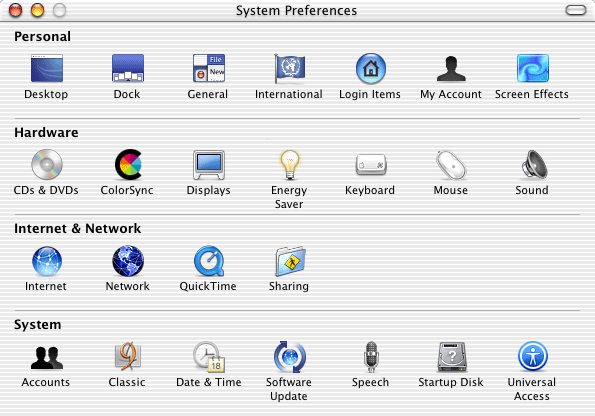
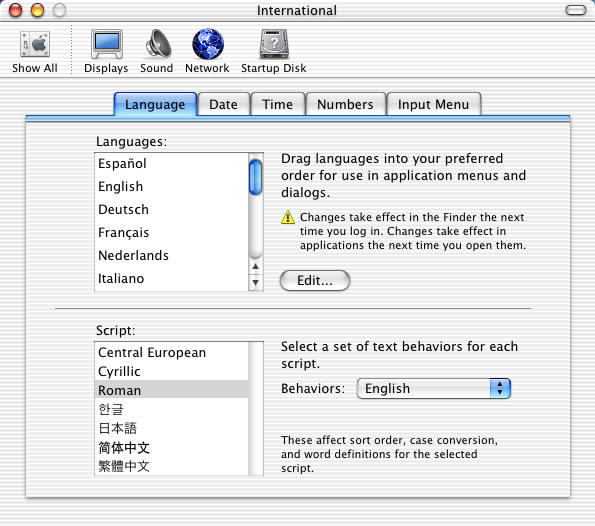
I select ed Espaņol and moved it to the top of the Languages list.
To see the changes you have made, log out then log in as Spanish Student.
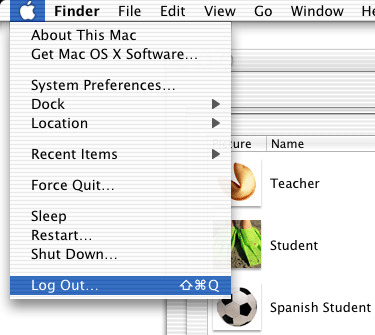
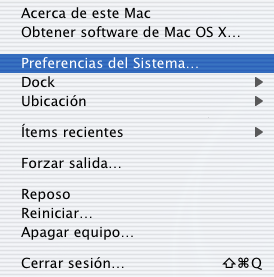
I clicked on the blue apple and got the following screen. What item is selected in the window below? Check your answer .
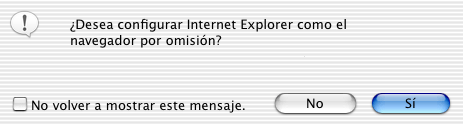
Next I (as user "Spanish Student") opened Internet Explorer. Since this was the first time that this user had launched IE, the following question was asked. What was it that IE wanted me to decide? Check your answer .
I launched TextEdit, SimpleText on steroids, and typed the following.
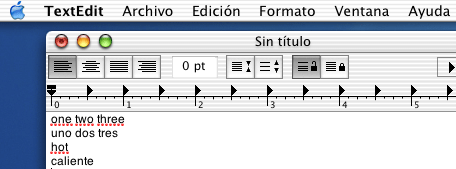
This application identifies misspelled words by underlining in red. Why did TextEdit think that I had misspelled one two three?
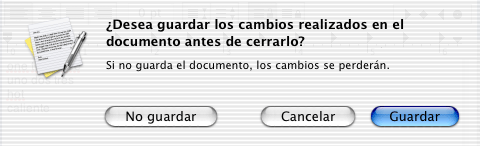
After finishing typing I tried to quit TextEdit and got the following message. What was TextEdit asking me? Check your answer .
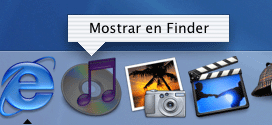
In an earlier module the instruction was given for one way to bring up the Applications folder. The procedure is to hold down the control key as you click on any one of the iApps (since they are in the Applications folder). When I did that with iTunes my Mac displayed the following pop up box. What was it asking me? Check your answer .
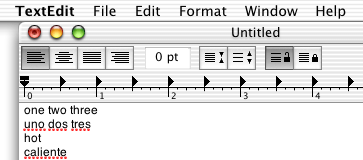
I logged out, went to my Teacher user set up and typed the following in TextEdit. Why did TextEdit reverse the underlines? I bet you have that one all figured out. Right?
Play around with this process. See what other uses of new users you can come up with.
creating a new user | creating a limited user | creating a Spanish user


